All work

Case study 02 · Web

Trusted Neighbors

A neighbor-sourced directory of local pros for four Austin communities. No sponsored ads, no fake reviews.

Role
Full-stack engineer, executive VA
Client
Founder-led local business
Platforms
Web
Status
Shipped · Austin, TX
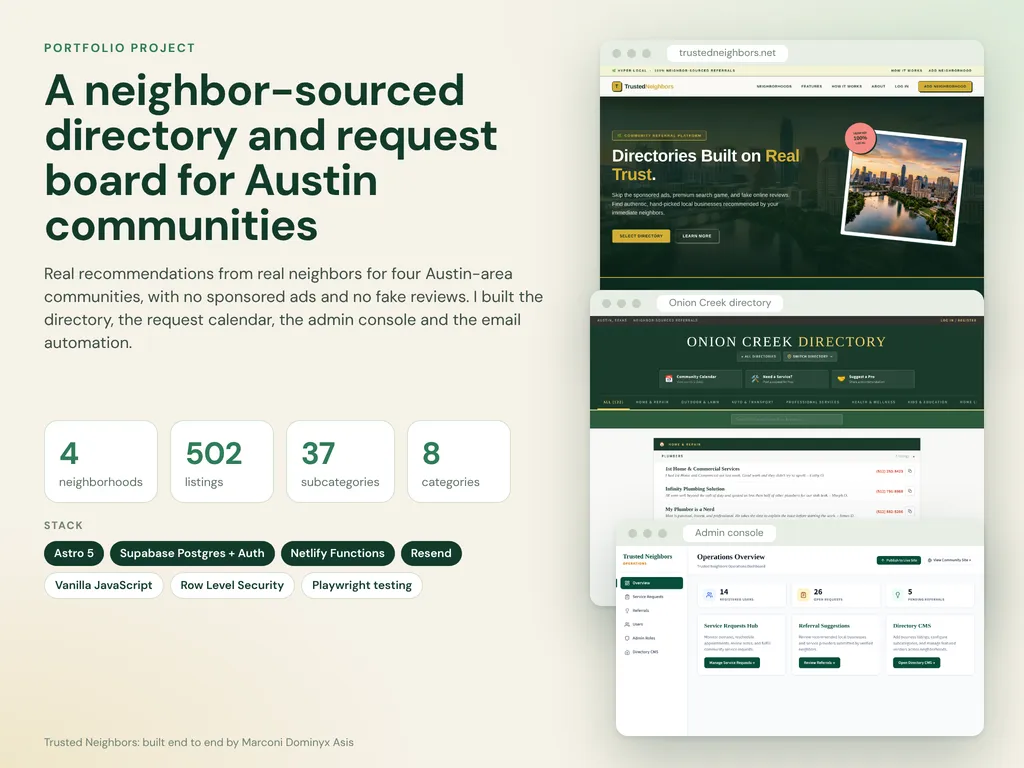
Trusted Neighbors overview

Overview

What I built

Trusted Neighbors connects homeowners with local businesses across Avery Ranch, Circle C, Onion Creek and Sunfield. Every listing comes from a real neighbor’s recommendation. I built and maintain it as the founder’s executive virtual assistant and developer.

listings
502
communities
4
categories
8
subcategories
37
Neighborhood directories
502 listings across 4 communities, 8 categories and 37 subcategories
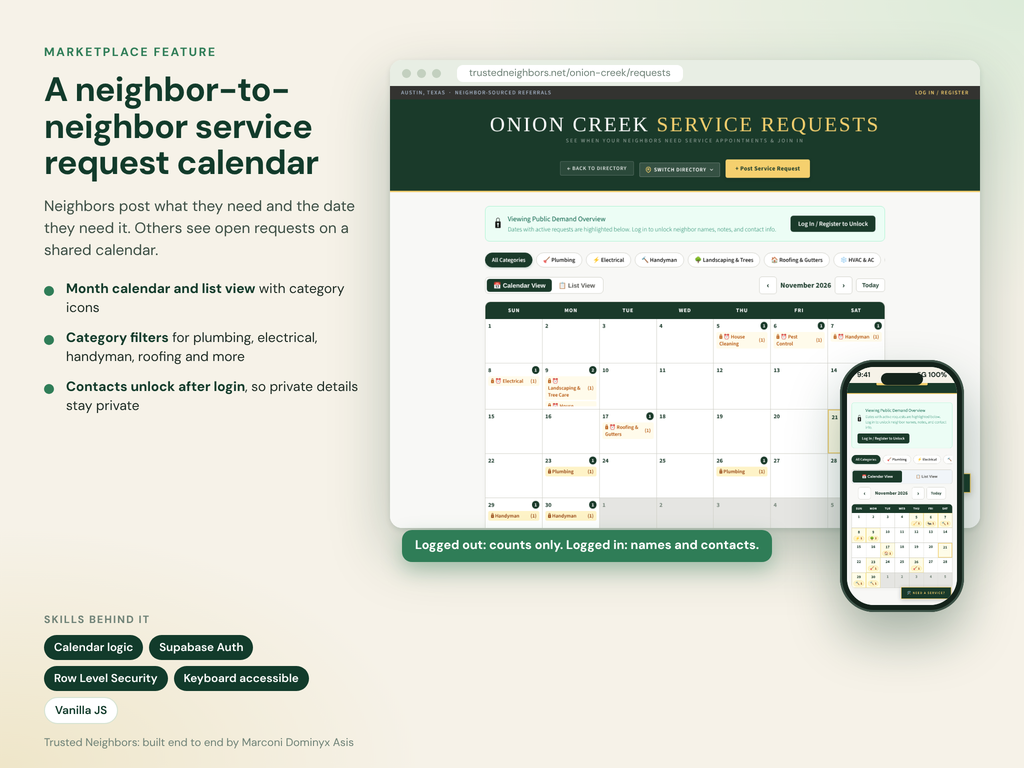
Service request calendar
Neighbors post what they need and when, others see it on a calendar
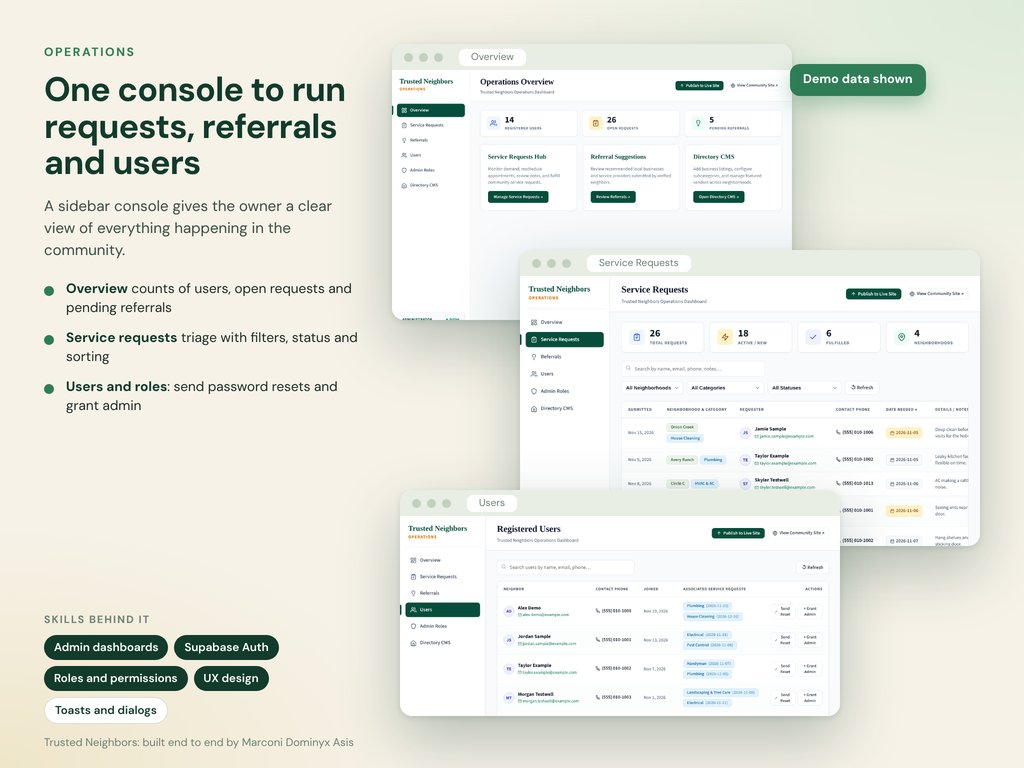
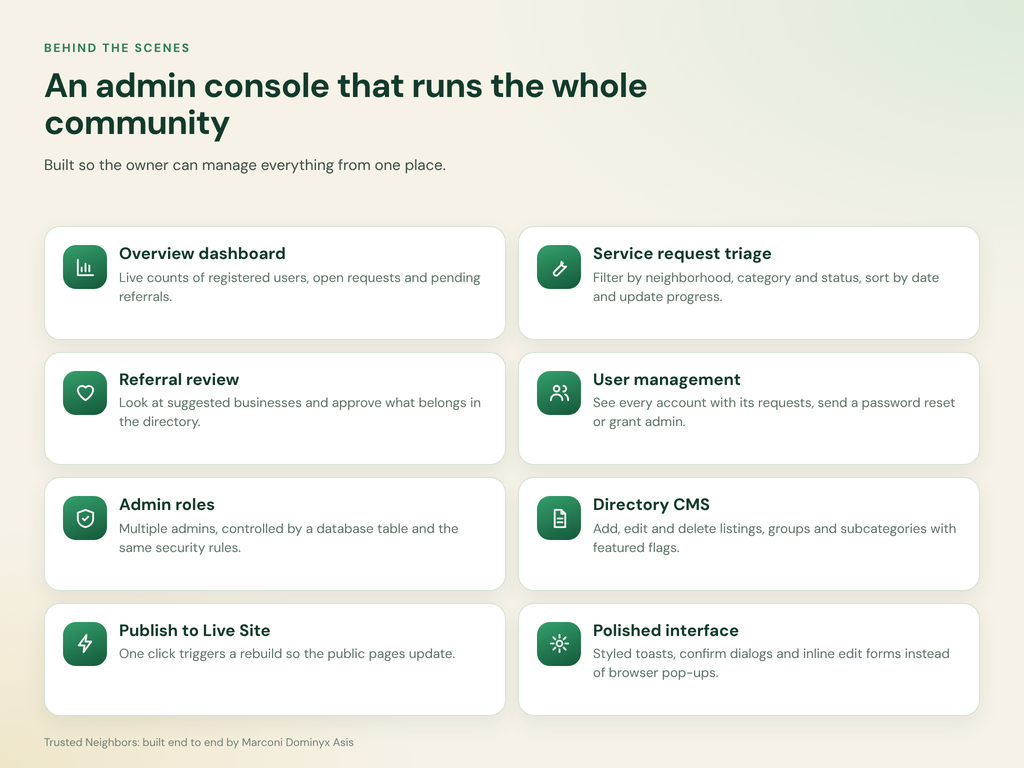
Admin console
One place to manage requests, referrals, users and the directory
Email automation
Instant emails for new requests, referrals and suggestions
Search & AI visibility
Pre-rendered pages, sitemap and clean metadata

Beyond the code

I built this alongside being the founder’s executive virtual assistant, so the same days also covered:

  • Supporting the founder and clients day to day
  • Editing photos and videos
  • Social media posting, branding and graphic design
  • Booking appointments, making calls and running meetings
  • Transcriptions
  • Analytics, analysis and research
  • Community outreach and outsourcing
  • Lead generation

Astro 5 · Supabase (Postgres & Auth) · Netlify Functions · Resend · Vanilla JS

01 / 08

Neighborhood directory

Each community has its own directory with instant search, filters and collapsible categories. Featured providers stand out with neighbor comments and phone numbers, and anyone can suggest a business, even without an account.

  • Pre-rendered HTML that Google and AI assistants can read right away
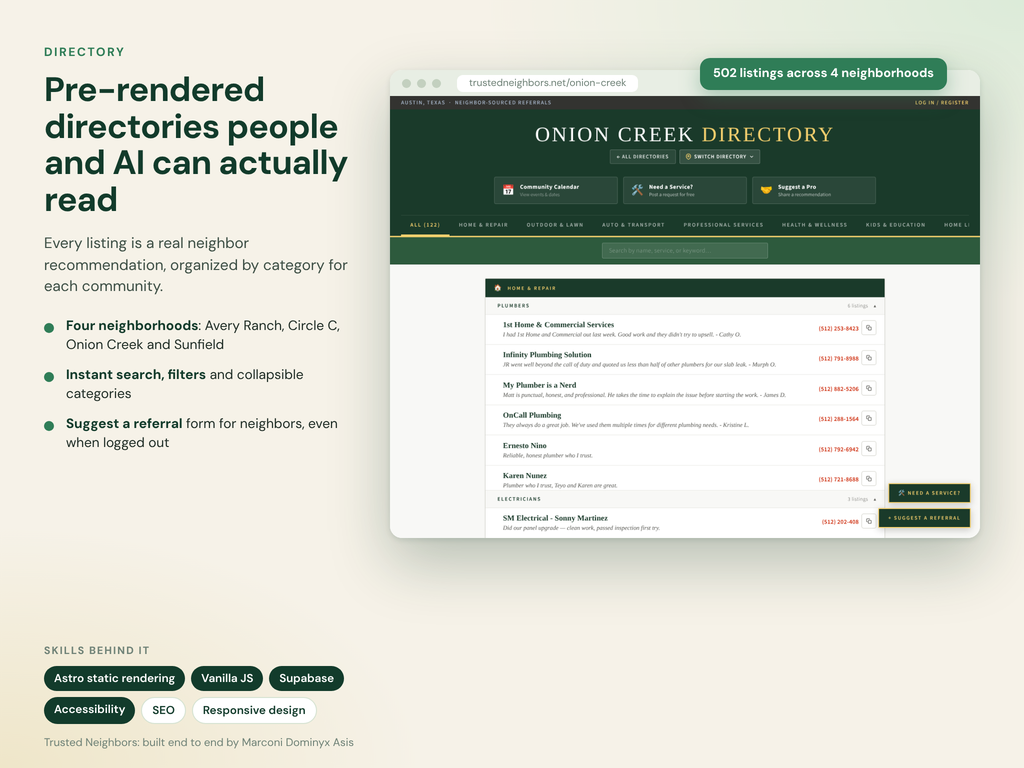
Onion Creek neighborhood directory

02 / 08

Service request calendar

Neighbors post a request with a category and the date they need help. Others see open requests on a month calendar or a list. Logged-out visitors only see counts; names and contact details unlock after login.

Service requests calendar

03 / 08

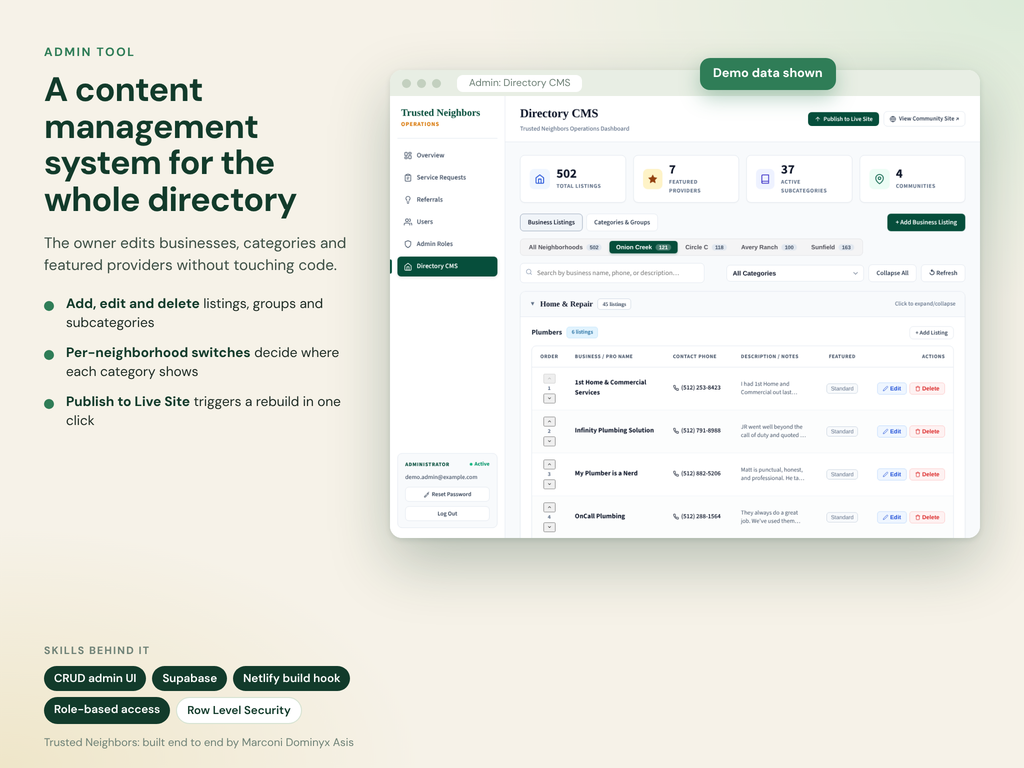
Admin console & directory CMS

A sidebar console for the owner: live counts, request triage, referral review, user management and roles, plus a CMS for listings and categories with a Publish to Live Site button that rebuilds the public pages.

  • Screens shown with demo data
Admin directory CMS (demo data)Admin console overview (demo data)Admin and operations tools (demo data)

04 / 08

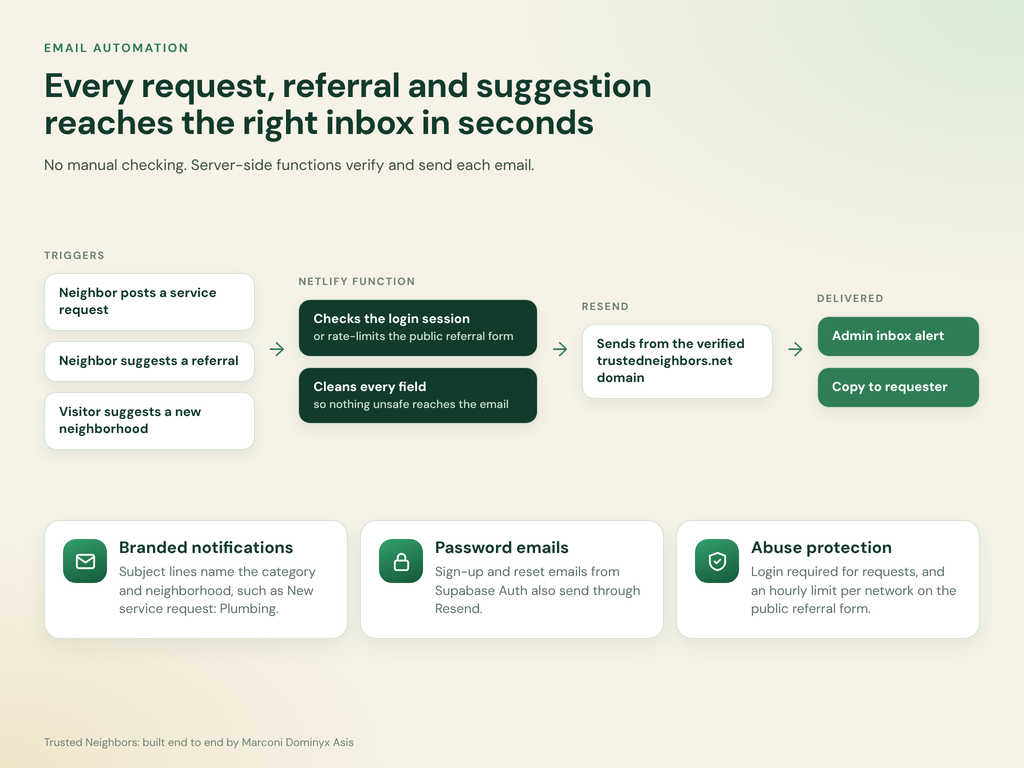
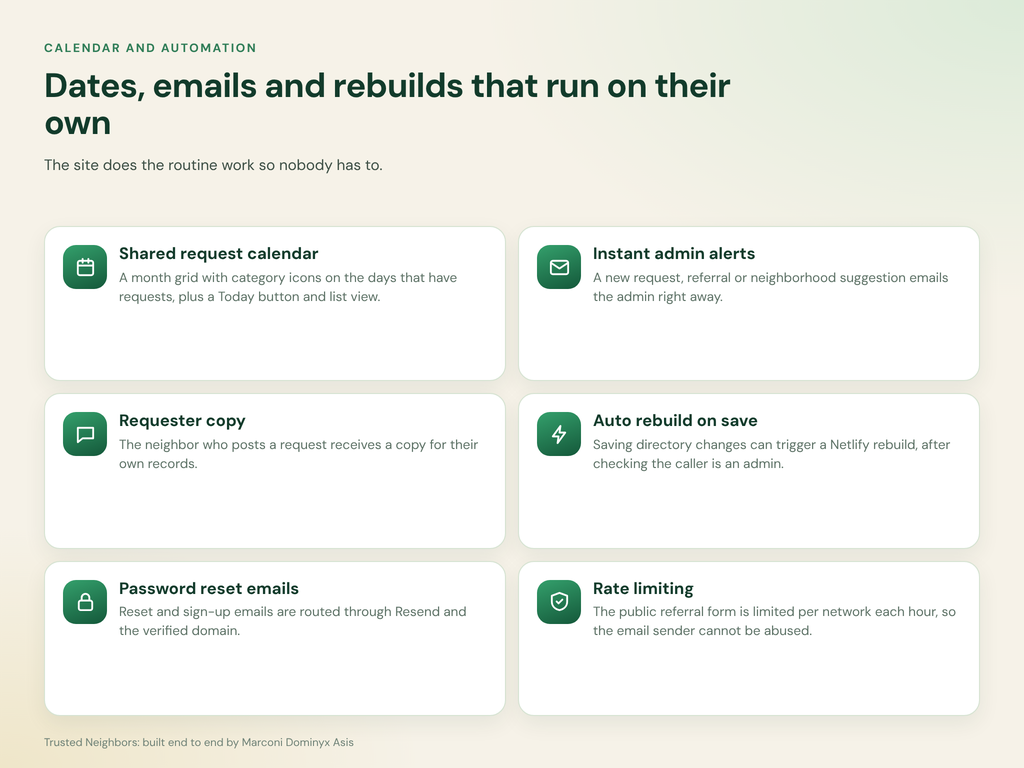
Email automation

When a neighbor posts a request or suggests a business, a server function checks it and sends email through Resend from the verified domain. The admin is alerted right away and the neighbor gets a copy.

Email automation flowEmail and calendar automation

05 / 08

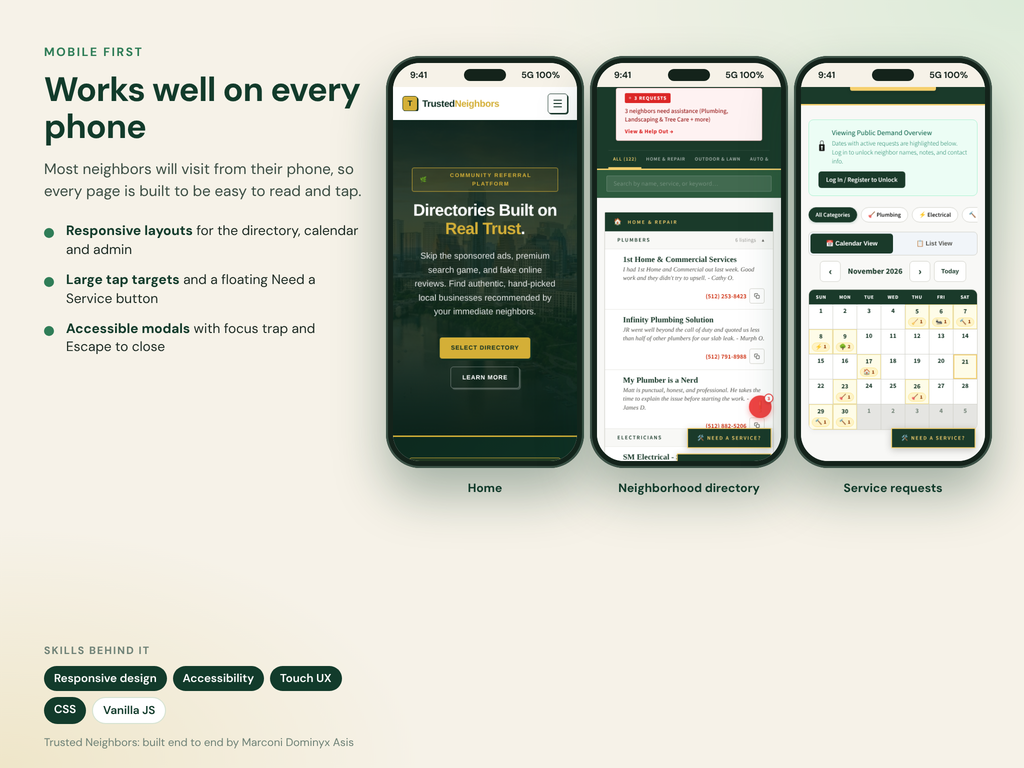
Mobile friendly

Responsive pages, large tap targets, a floating Need a Service button and modals that work with a keyboard.

Trusted Neighbors on mobile

06 / 08

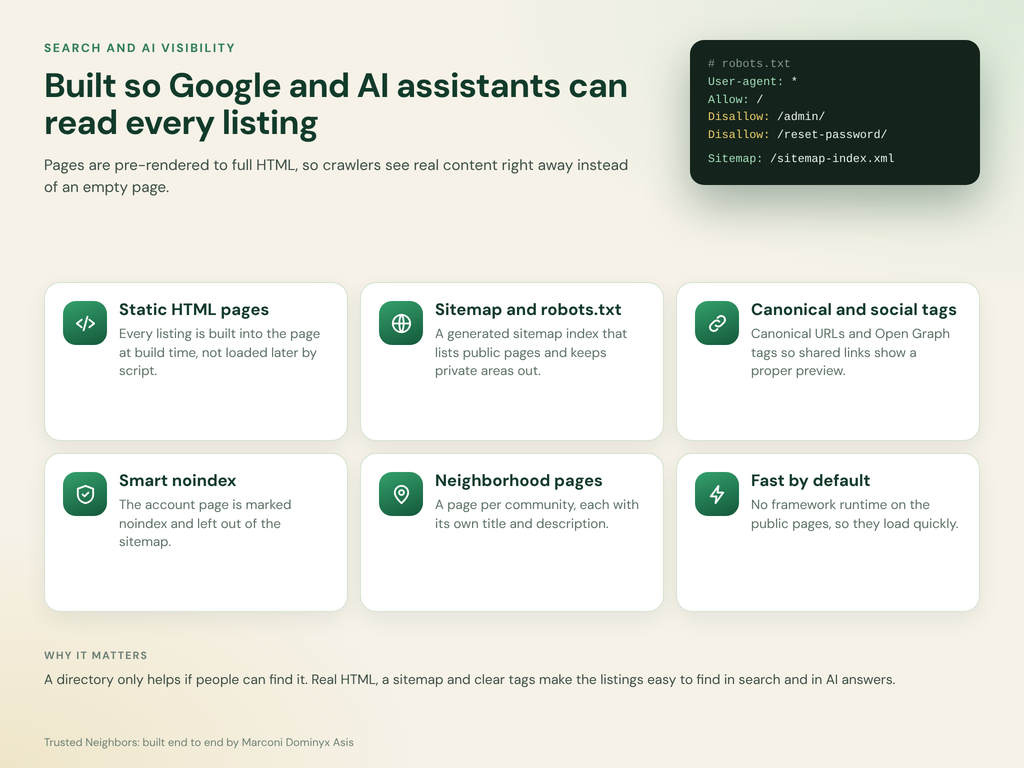
Search & AI visibility

Static HTML pages, a generated sitemap, robots.txt that keeps admin areas private, canonical and social tags, and noindex on account pages.

SEO and AI search setup

07 / 08

Security & engineering

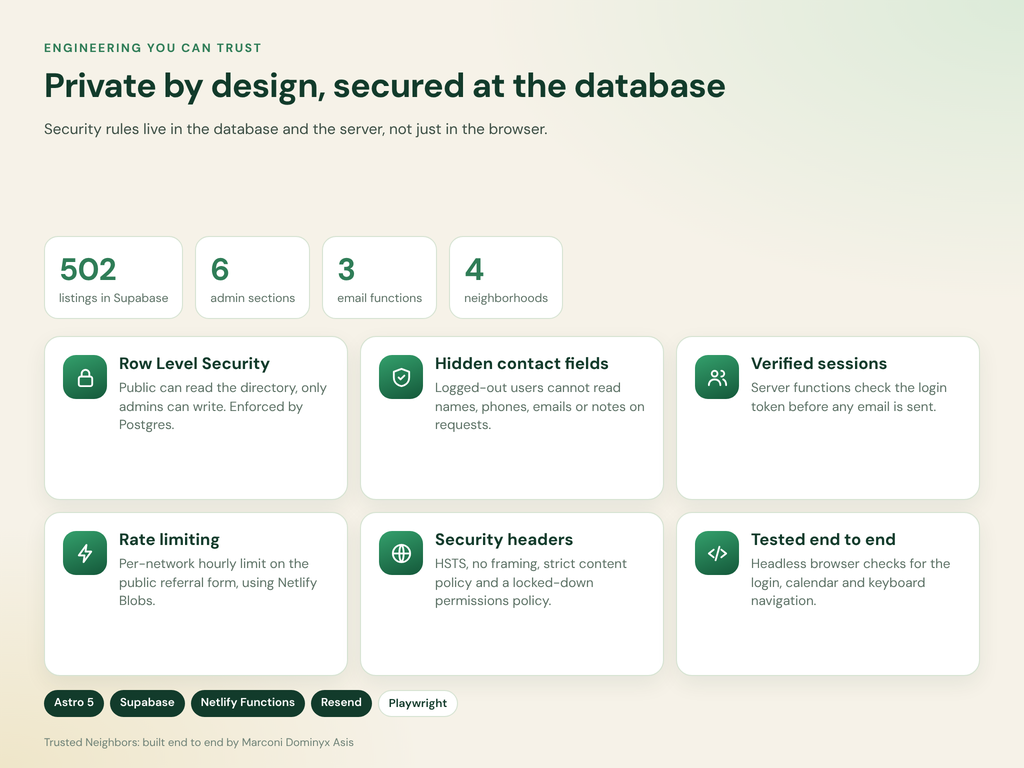
Row Level Security so the public can read and only admins can write, contact fields hidden from logged-out users at the database level, session checks on email functions, a rate-limited referral form, security headers and headless browser tests.

Security and engineering overview

08 / 08

Everything in one view

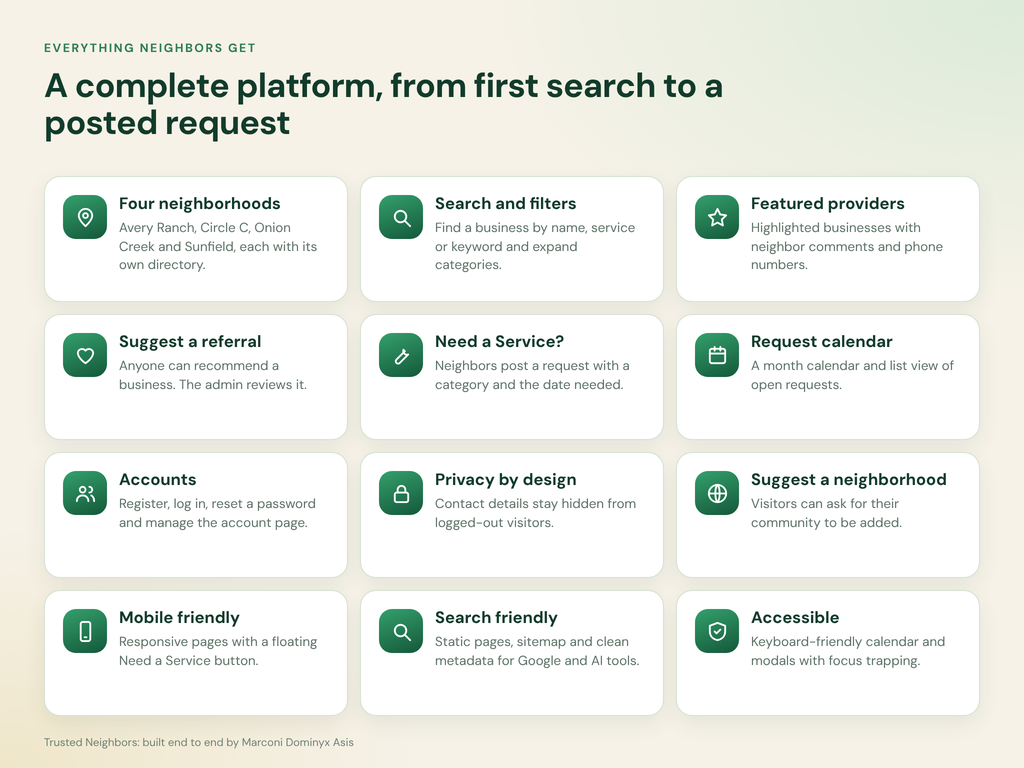
The whole platform on a single page.

All Trusted Neighbors features